
Standard CI/CD pipelines are great for testing and deploying code in a linear sequence from a single repository.
They fall short when a release needs to coordinate a blue/green deployment, verify health metrics, provision a temporary database and execute a rollback across three services at once.
Real-world operations are event-driven. They require workflows that can pause, wait for external signals and resume exactly where they left off without losing state.
SuperPlane’s execution engine was built specifically to handle the reality of these cross-tool operations.
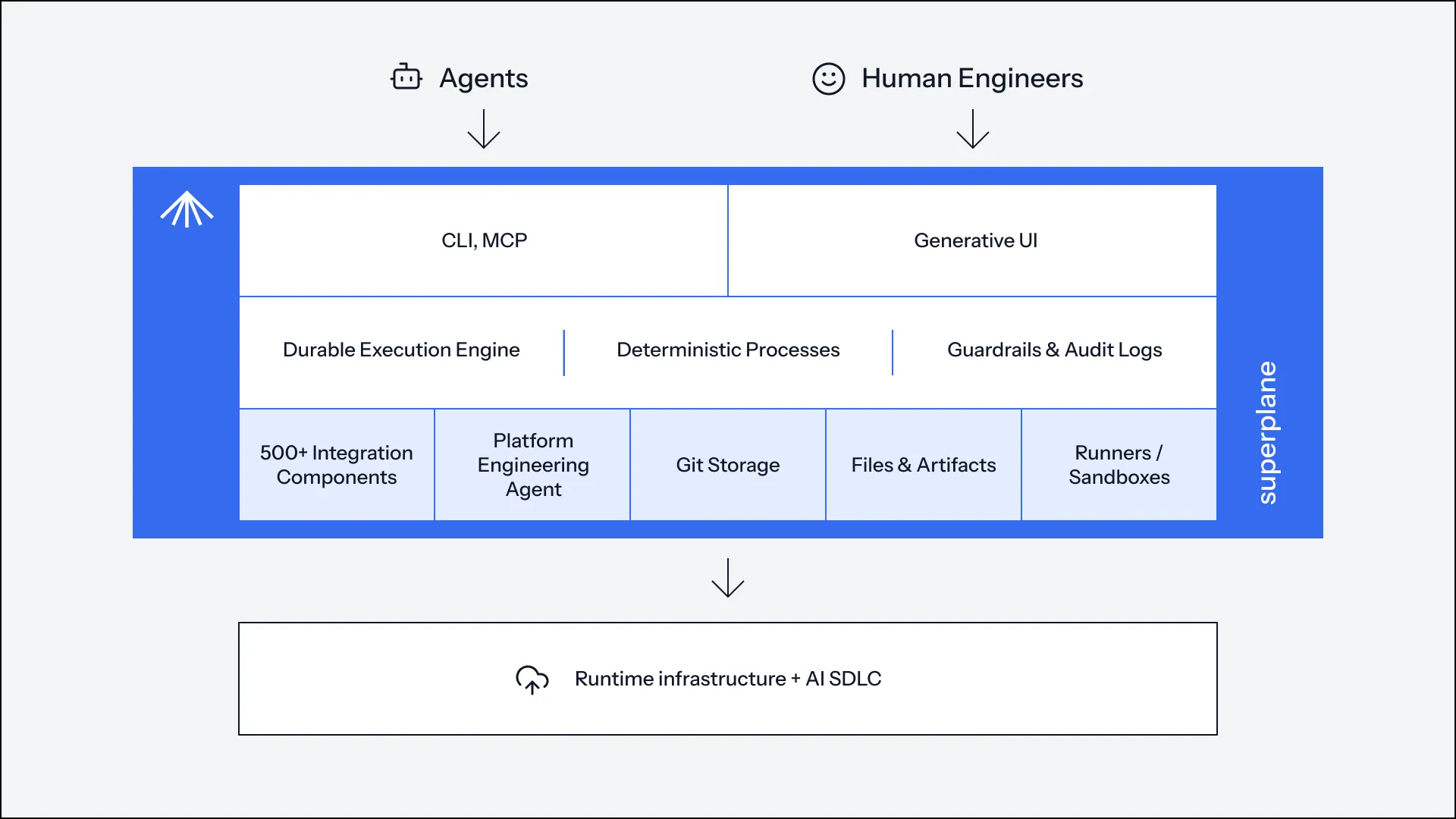
How events flow through a workflow graph
Everything in SuperPlane starts with an App. An App bundles the canvas for your workflow definitions, a console for an operational dashboard, memory for persistent state and files.
Workflows on the canvas do not just start on a git push. They trigger via webhooks, scheduled timers, chat commands from Discord, an alert from PagerDuty, a metric threshold crossed in Datadog, a new issue in Linear, or an API call from an autonomous agent. Multiple triggers can feed into the same canvas and each kicks off a different path.
From the triggers, events flow through components. Each component takes an input, performs an action like calling an API or running a script and emits a payload.
These payloads accumulate into a message chain. You can access this chain using the $ variable to reference upstream data in subsequent steps or write evaluation conditions. For example, a deployment node can pull the exact commit hash from a GitHub trigger using $['GitHub onPush'].data.commit. It acts as a message bus that streams all outputs to downstream nodes.
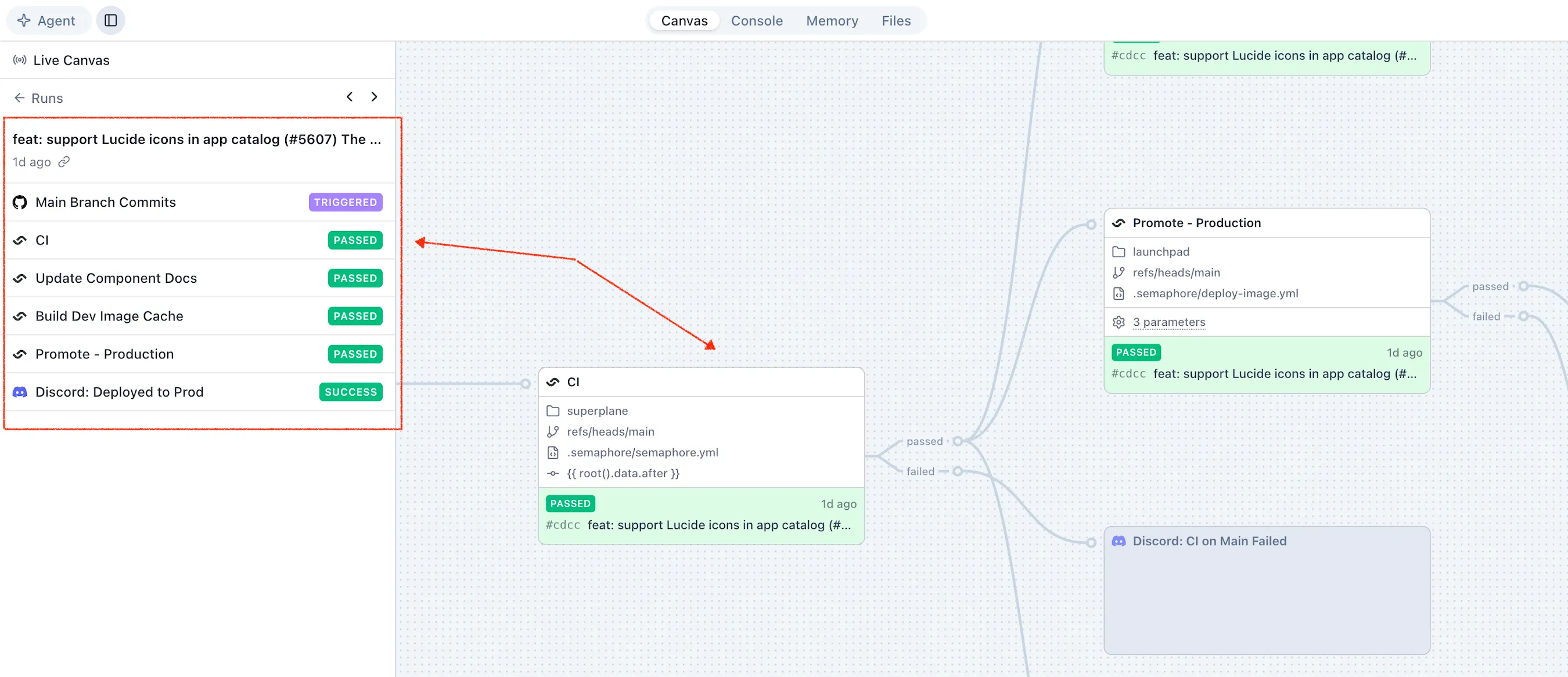
For example, here’s a simple TLS certificate expiry app that you can one-click deploy to SuperPlane Cloud.
Separating runtime health from logical routing
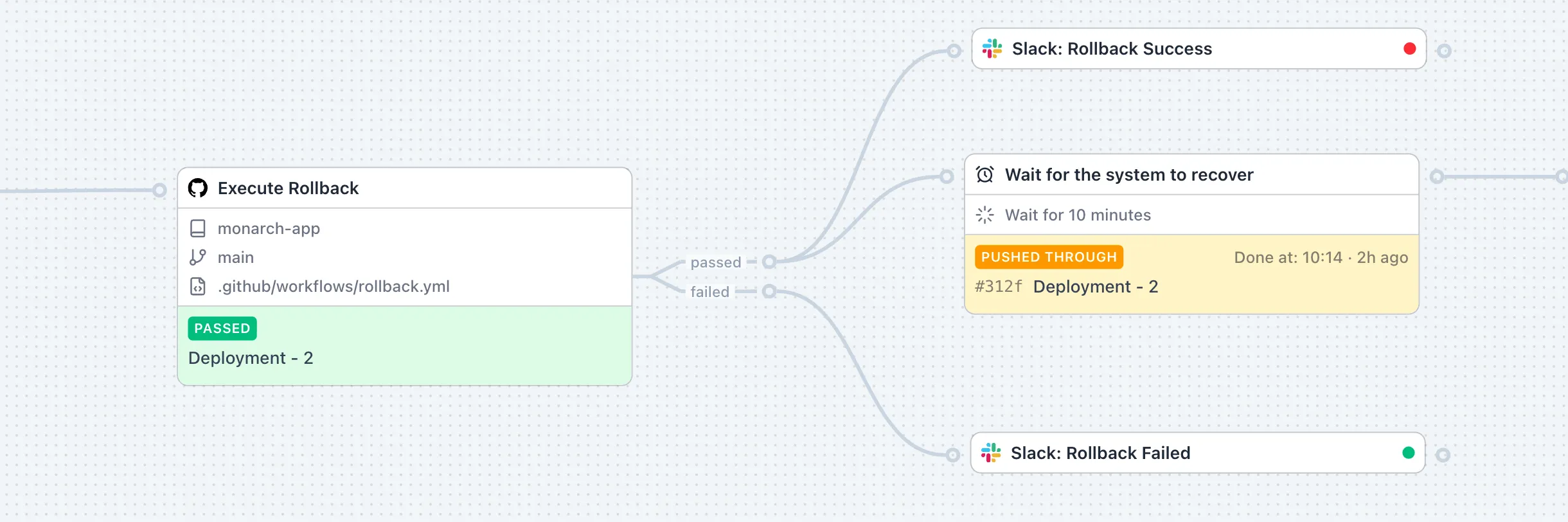
Workflows branch on conditions. A component can pass or fail, exist or not exist, be approved or denied. All paths are visible on the same canvas.
Each execution carries two independent outcome fields. Runtime health tracks if the action ran to completion without encountering an error. Semantic routing tracks which logical output the action chose.
For example, an HTTP node that receives a 500 status records a successful runtime execution because the request was made and parsed. It then emits on its failure channel because the response was a 5xx error. You can build complex pass, fail and timeout paths without conflating a network timeout with a denied approval.
Why durable execution matters for long-running operations
Workflows do not have to finish in one go. A component can pause to wait for human approval or an external event to arrive. It then picks up exactly where it left off.
SuperPlane uses a durable execution model. If an API call fails, a network times out, or the system restarts, the run does not lose its progress. Because every node’s payload is saved to the message chain, a workflow can safely pause and resume.
Every run has a unique Run ID that ties together all activity triggered by a specific event. This run is permanently attached to the canvas version that was active when the run started. If you publish a new version of your app while a workflow is waiting for a three-day approval, the existing run continues predictably on the old version.
The alternative is building your own state machine
You can always write custom scripts for operational workflows. Scripts are easy to write, but they are hard to operate.
When a 300-line bash script fails halfway through a database migration or a cross-service deployment, you are left blind. You have no visibility into what ran, what failed and what state the system was left in. To fix this, teams inevitably end up building a poor man’s state machine. They write custom retry loops for rate limits, implement checkpointing to avoid restarting from scratch and dig through raw stdout logs to debug failures.
SuperPlane provides durable execution and visual audit trails out of the box. For operations that no integration covers, SuperPlane provides native managed runners. You can execute arbitrary shell commands, scripts, or Docker jobs directly on managed machines on SuperPlane Cloud. If you self-host, you can run them in your own infrastructure using your AWS credentials (with more cloud providers coming soon).
By combining these runners with the engine’s native conditions, loops and memory, you can build serious automation without connecting any external tool.
Try SuperPlane
The SuperPlane Cloud Beta is live. You can try building a workflow with managed runners today.
Read the documentation on Data Flow and Runs to learn more about the execution engine.
Join the community
SuperPlane is open source (Apache 2.0). If you’re using it, here are the best ways to help:
- Star the repository on GitHub to show your support
- Join our Discord server to connect with the team and community
- Contribute by submitting bug reports, feature requests, or code on GitHub
- Share SuperPlane with your network and help us grow